


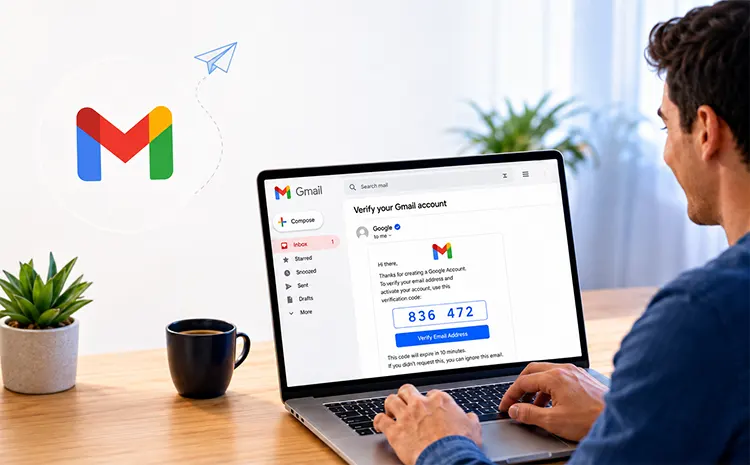
Have you thought about improving the security of your Gmail account? A few simple steps can help confirm that it’s really you accessing your Google Account and not an unauthorised third party. Gmail includes identity and authentication features designed to help users identify legitimate senders and reduce the risk of impersonation and phishing.
As online impersonation and misleading accounts became a growing concern, major platforms introduced account and profile verification features. Account and profile verification features arrived, such as verification badges on X (formerly Twitter), Instagram, and TikTok.
This feature, especially used by accounts with many followers, content creators or companies, allows the owner to send a message to their followers: that it is really them and not a cybercriminal or a bot. Google and Gmail also use security and email-authentication measures designed to help combat phishing and sender impersonation.
What Is Gmail Account Verification and How Does It Help Prevent Phishing?
Cybersecurity organisations regularly warn users about phishing scams in which cybercriminals pose as legitimate organisations, such as governments or reputable businesses, to trick users into sharing sensitive data.
Sender verification and email authentication features can provide valuable trust signals; however, they don’t ensure an email is safe. In Gmail, sender verification is different from verifying a personal social-media profile. Gmail can display verification indicators for eligible senders that meet specific authentication requirements.
Gmail can display verification indicators next to eligible senders, including organisations that meet Google’s requirements. The ability to verify your Gmail account is a reality that helps you:
Key Benefits of Gmail Account Verification
Identify official profiles: To easily distinguish official profiles from fake ones.
Help users assess sender authenticity and reduce the risk of falling for impersonation or phishing attempts.
How to Identify Verified Senders in Gmail
From now on, when you receive an email in Gmail, pay attention to the sender’s name, which may have a verification icon next to it. This is especially true if the email was sent by a commercial brand. This may indicate that the sender uses Brand Indicators for Message Identification (BIMI) and meets Google’s applicable authentication and verification requirements.
What Is BIMI in Gmail?
But how do you get that blue tick? It won’t appear automatically on all Gmail accounts of brands or companies; organisations must meet Gmail’s authentication and BIMI requirements to become eligible for these indicators.
For organisations, these indicators help recipients assess whether a message is from the claimed sender.
In addition to seeing the “✔️” icon, Gmail may provide additional information about the sender when you interact with the verification indicator. However, a verification indicator should not be treated as a guarantee that every message or link is safe.
If you don’t see a verification indicator, do not assume that the message is fraudulent; instead, check the sender address, links, and content carefully.
Gmail Security Tips to Protect Your Account
- Use Two-Step Verification: Use two-step verification to add another layer of security to your Google Account.
- Review Recent Google Account Activity: It is recommended to regularly monitor Google Account security activity, looking out for suspicious login attempts or security events that might occur within it.
How To Spot A Phishing Email In Gmail
Always check out an e-mail claiming to be from a legitimate sender even if it looks convincing before clicking any links, opening any attachments or giving out any information. Phishing e-mails will often tempt you, request passwords or banking details, have unexpected attachments or send you to unusual web pages.
Always verify the sender‘s full email address instead of just their name. Scroll over links before clicking them to verify the destination website. If you receive an email requesting you to enter your login details, make a payment or supply personal information unexpectedly, go directly to the website of the organisation in question instead of clicking on the link.
Gmail will warn you if you receive suspicious messages. Take them seriously and confirm strange requests with the sender before acting.
Use a Strong and Unique Password
- Be Wary of Suspicious Emails and Attachments: Be wary of suspicious emails and do not click on links or download attachments from unknown senders, even if the sender appears well-known.
- Keep Your Browser and Operating System Updated: Staying up-to-date is important because software updates contain security patches that may protect your account from compromise.
- Verifying Your Social Media Profiles: Before engaging with organisations or public information online via social media platforms, check if their official verification checks exist.
- Protect Your Information Online: Do not post personally sensitive details like your address or phone number online, especially on public profiles.
Also Read: 12 Reasons To Choose A Professional Email Address